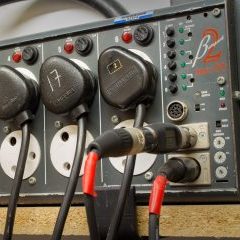
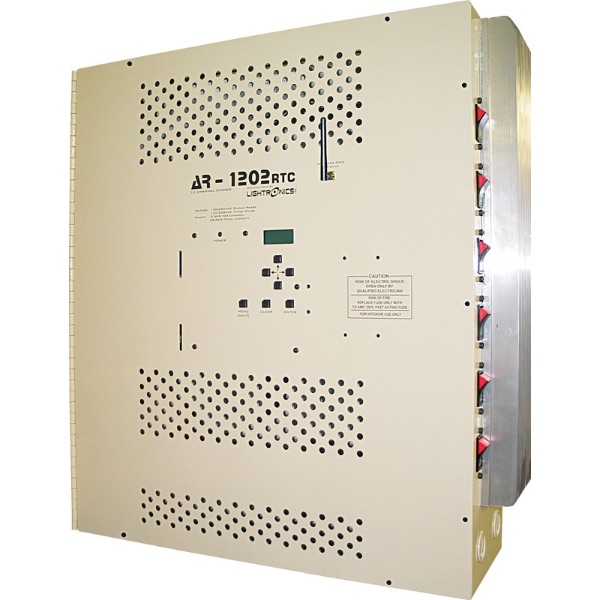
AR1202 – Multiple channels do not dim, but a few do dim fine. Generally if channel 1, 4, 7 and 10 dim fine, then this is due to an incorrect Power Phase setting. This can typically happen with the following;
-
-
- New install of the AR1202 or replacement of the AR1202 control board.
-
- After a power outage in which the utility company restored power in a different configuration.
-
- Power surge or lightning strike may have scrambled the settings of the AR1202 control board.
If there are three incoming HOT Lines connected to H1, H2 & H3, then you are using three phase power. There are two possible settings when using three phase power. This will be AR 3PhsN and AR 3PhsR. The N & R refer to the direction of rotation of the three phases of power in relation to one another.
-
-
- Bring the channel intensity of each circuit to 0.
-
- Press the MENU button until the screen displays “System Setup”. Press ENTER.
-
- Press the MENU button until the screen displays “System Power”. Press ENTER.
-
- The display will now be indicating the current Power Setting. Press the UP/DOWN arrow buttons until you locate these settings. If you are already on one of these settings, change to the other phase rotation setting. Press ENTER to save this setting.
-
- Press CLEAR to return to the Channel Intensity Display Screen.
-
- Test the dimming performance of each channel compared to the previous setting. If you still have issues with channels not dimming properly and you have not tested each of the two AR Three Phase settings, repeat the steps above to test the other AR Three Phase power setting.
If there are only two HOT lines connected to H1/H2/H3, then there are more possible power options. These options will be AR 1PhsN, AR 2PhsN & AR 2PhsR. Use extreme caution with the following tests or refer to a qualified electrician to do the following. There will be approximately 240VAC between the two HOT terminals if this is Single Phase Power and your correct setting option will be AR 1PhsN. Follow the steps to change your power setting to AR 1PhsN. If there is approximately 208 VAC between the two HOT terminals, then your setting will either be AR 2PhsN or AR 2PhsR. Verify that the BLUE wires were moved to the proper terminals with the black wires or the red wires.
-
-
- Bring the channel intensity of each circuit to 0.
-
- Press the MENU button until the screen displays “System Setup”. Press ENTER.
-
- Press the MENU button until the screen displays “System Power”. Press ENTER.
-
- The display will now be indicating the current Power Setting. Press the UP/DOWN arrow buttons until you locate these settings. If you are already on one of these settings, change to other phase rotation setting. Press ENTER to save this setting.
-
- Press CLEAR to return to the Channel Intensity Display Screen.
-
- Test the dimming performance of each channel compared to the previous setting. If you still have issues with channels not dimming properly and you have not tested each of the AR Two Phase settings, repeat the steps above to test the other Two Phase power setting.
If this does not resolve your dimming issue, contact Lightronics Technical Support for further troubleshooting.