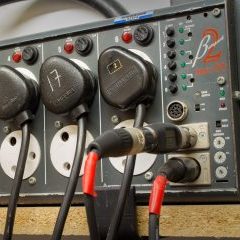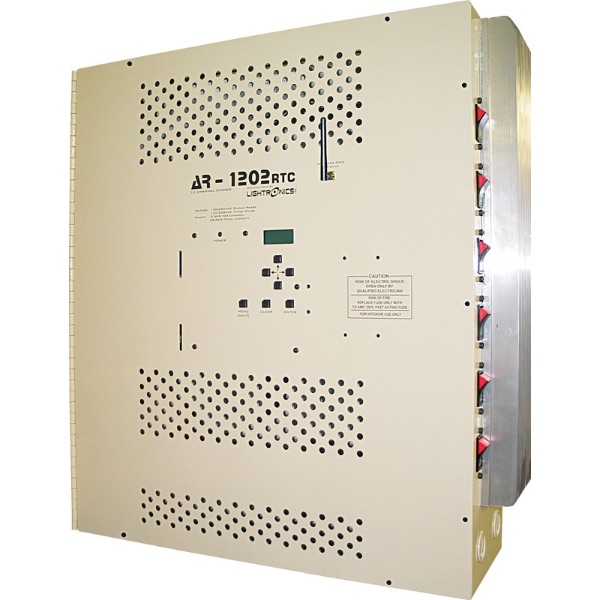

AR1202 – One or more channel loads are always on FULL and I can only turn the lights off by using the circuit breaker on the side of the AR1202.
- Verify that the channel indicator on the display screen of the AR1202 shows that channel should be off. If this channel indicates that it is on full, then this may be due to an external control signal for that channel to be on full. (See AR1202 control issue procedure_.)
- This may require a qualified electrician. Release the front cover of the AR1202 by removing the seven screws around the front edge of the cover. The cover is hinged on the left side. Leave these four screws on. WARNING: RISK OF ELECTRICAL SHOCK. There is high voltage inside the chassis boundary of the AR1202.
- Open the cover of the AR1202. The control board is mounted to the back side of the front cover. There are generally three red connectors on the right side of the control board that have wires that are numbered. Find the connector that include the number of the channel that will not cut off. If the load still remains on at Full, then the cause of this issue is a faulty SCR on the dimming cube. (If the load goes off, then jump to step 6.)See the following image to identify the faulty dimming cube.
- Once the dimming cube(s) that are affected, you may acquire replacement dimming cube(s) by ordering part number “ASY-RX82CUB-PCB”. This part will replace one dimming cube that serves two adjacent channels based on the image above. (The process for ordering part from dealer or Lightronics can be inserted here).
- Replacement of the dimming cube is best handled by a Lightronics dealer or qualified technician. Depending on the warranty status of your AR1202, the original dimming cube may need to be returned to Lightronics, so do not immediately dispose of the original part. (STOP HERE IF THE PROBLEM WAS IDENTIFIED AS THE DIMMING CUBE)
- If you have reached this step from step 3, then the cause of the channel remaining at FULL is not due to the dimming cube. The cause of the issue is likely the main control board of the AR1202 itself, or there is a control signal that may be causing this channel to go to full.
- On the back of the AR1202 control board, disconnect the red connector on the left side of the control board that is oriented vertically. Also disconnect the red horizontal connector near the bottom of the AR1202 control board. Is this channel still on FULL?
Yes: The cause of the issue is within the control board of the AR1202. Order a replacement control board. Contact Lightronics Technical Support for details on ordering a replacement control board to ensure no other additional parts are required due to the age of your current AR1202.
No: The cause of the issue is due to a control signal issue external of the AR1202 control board that is signaling that channel to be on. Contact Lightronics Tech Support for additional troubleshooting steps that may isolate the cause of this issue.